
Every session targets a number. Not your time.
Most apps optimize for open rate. Seltok apps optimize for a specific measurable variable — reaction time, recall accuracy, daily reps. The loop is the product.
Three steps. One repeatable daily loop.
Pick a variable. Track it daily.
Your score is your only benchmark.
Two weeks reveals a visible line.
Each app targets one concrete metric — words recalled, reaction milliseconds, reps completed. You see the number immediately after every session.
Difficulty adapts to yesterday's result, not a global average. No artificial padding — just the gap between where you were and where you are.
Fourteen sessions of daily use produce enough data points to show a real trend. That's the design spec — a line you can point to, not a feeling.
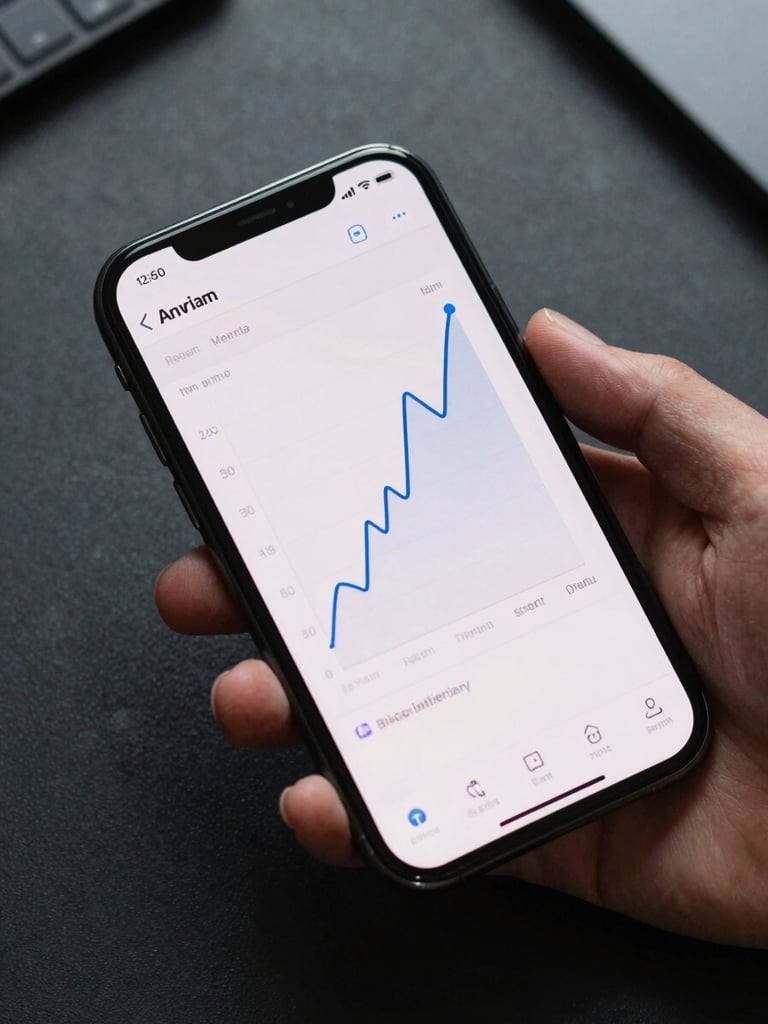
The trend line is the proof.
After fourteen days of repeatable daily use, every Seltok app surfaces a chart. Flat means the loop isn't working for you — move on. Rising means keep going.
We don't hide the flat lines. Showing you real data — including stagnation — is what separates a skill-building tool from an engagement trap.
Common questions, direct answers.
What if I miss a day?
Why Android only?
The baseline resets to your last recorded session. One missed day doesn't erase progress — it just means the next session calibrates from where you actually left off.
Android-first means we build for one platform deeply rather than two platforms adequately. The skill-building loop requires tight control over session data and UI — that demands focus.
Is the data stored anywhere?
How long before I see results?
All session data stays on-device by default. No account required to see your trend line — the metrics are yours, not ours.
Fourteen days of daily sessions generates a statistically meaningful trend line. Use it for two weeks — if the metric hasn't shifted, the app isn't the right fit for your baseline.